StaySync PMS PC
A complete workspace for the front desk and back office.
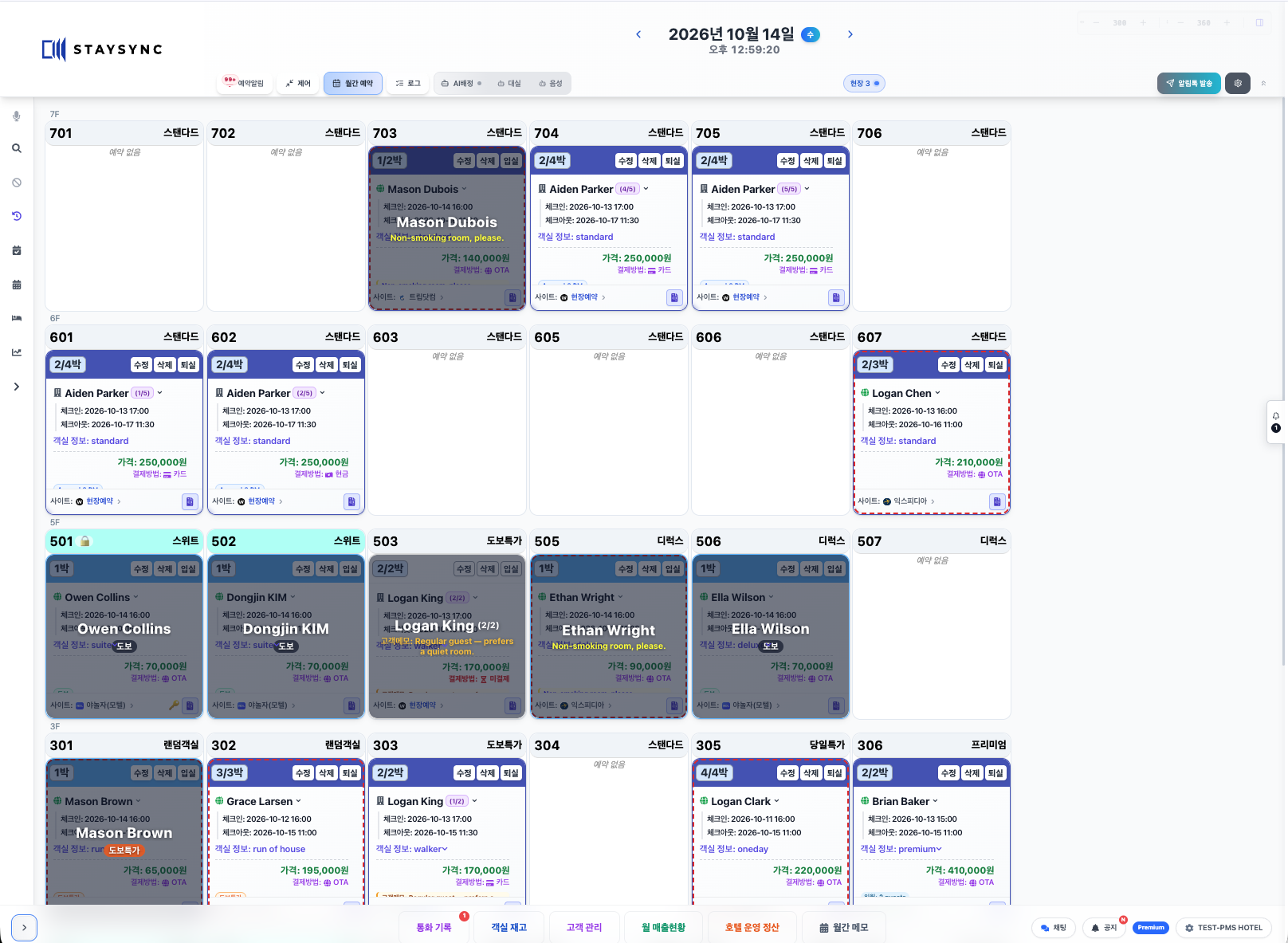
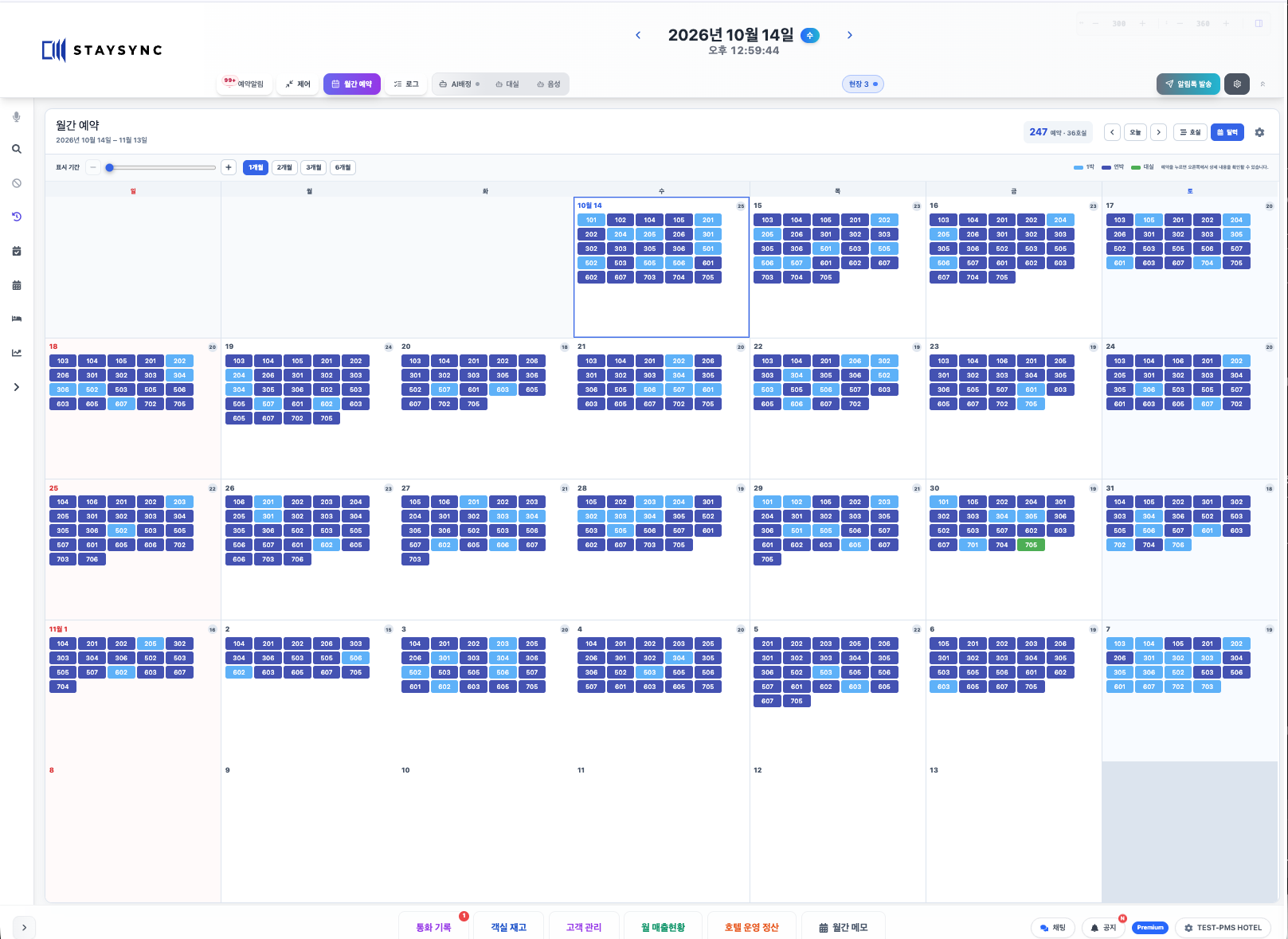
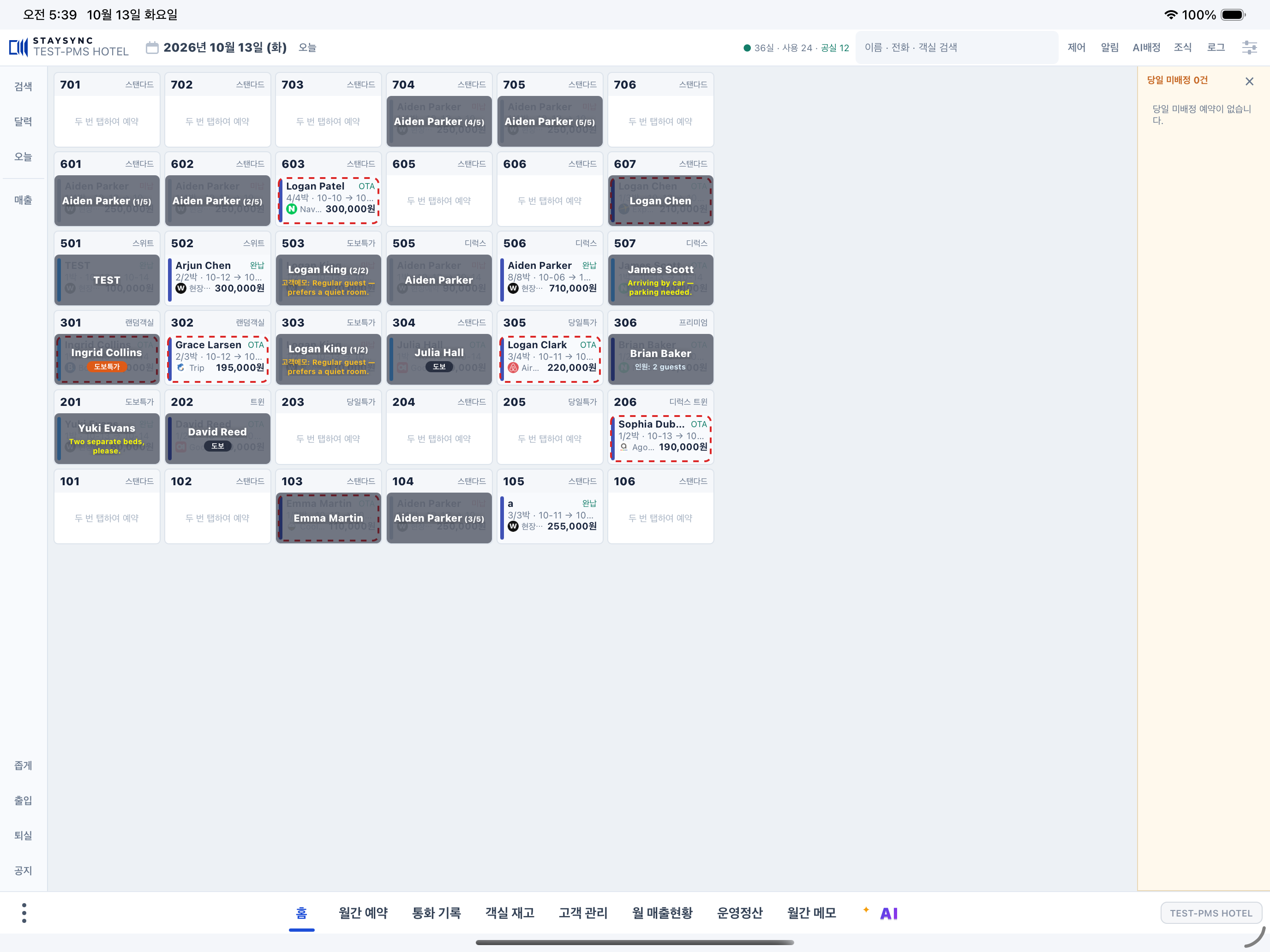
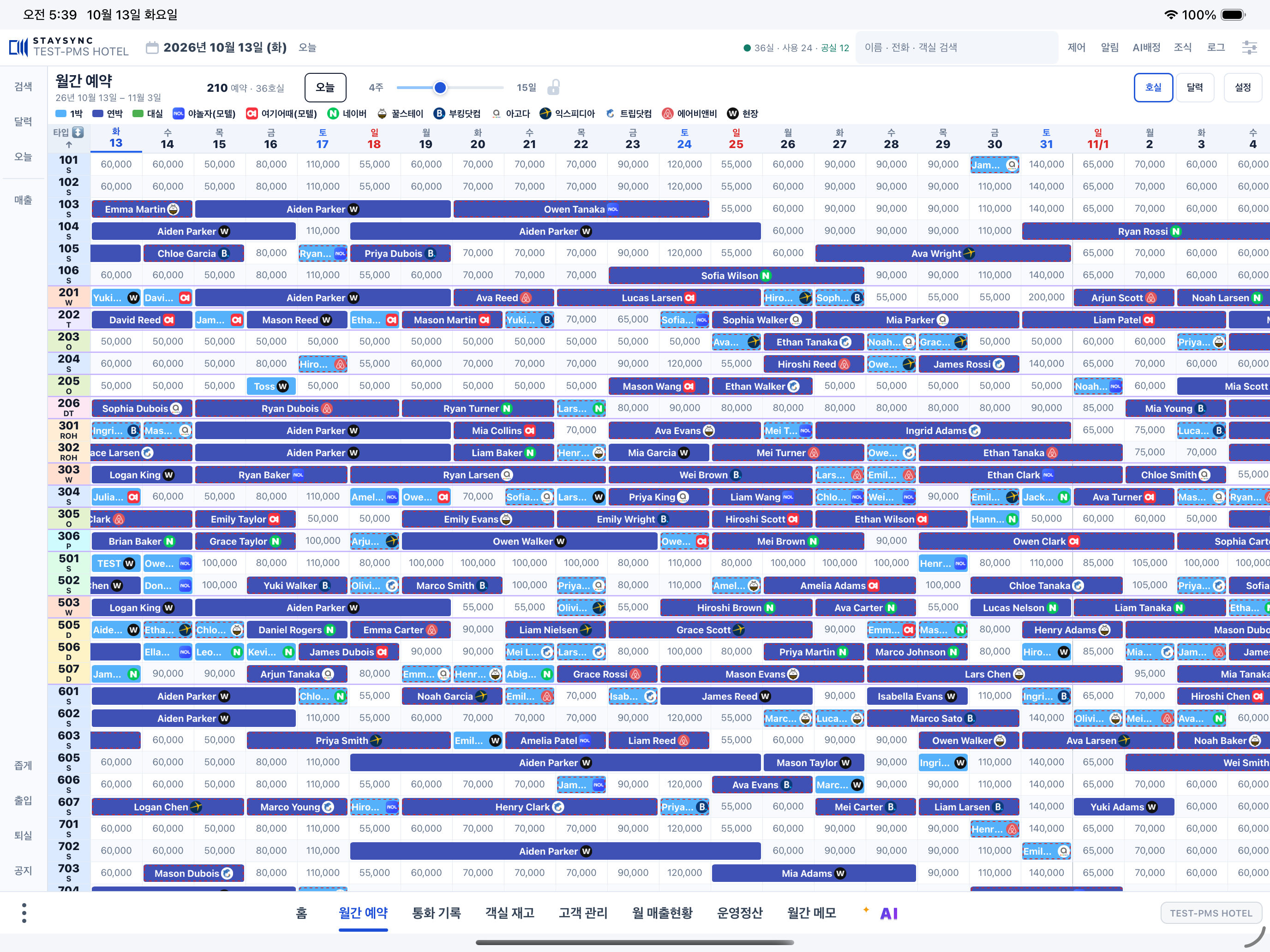
- A wide calendar for reservations and room assignments
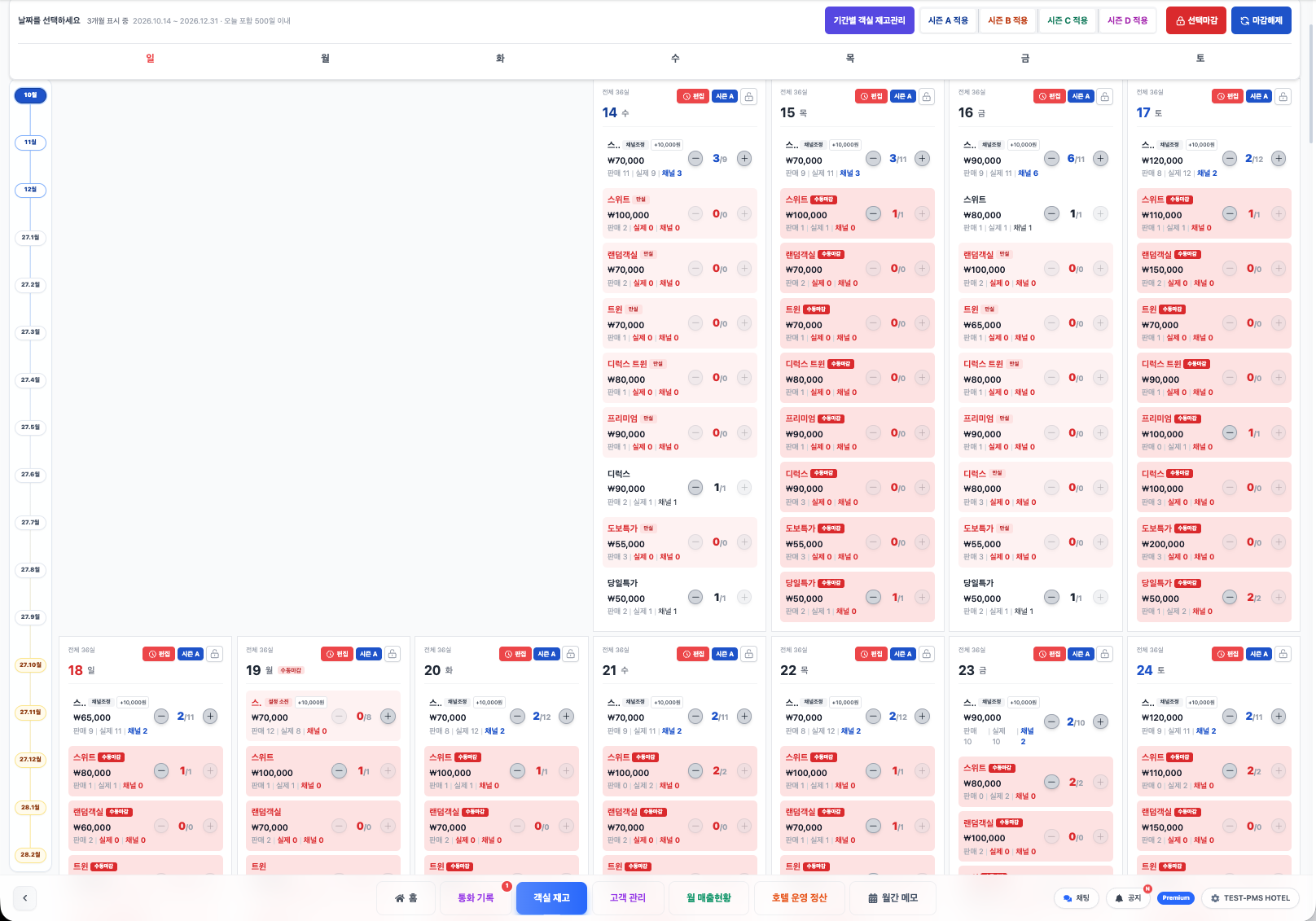
- Channel availability and rate management
- Guest records, handover notes and operating reports
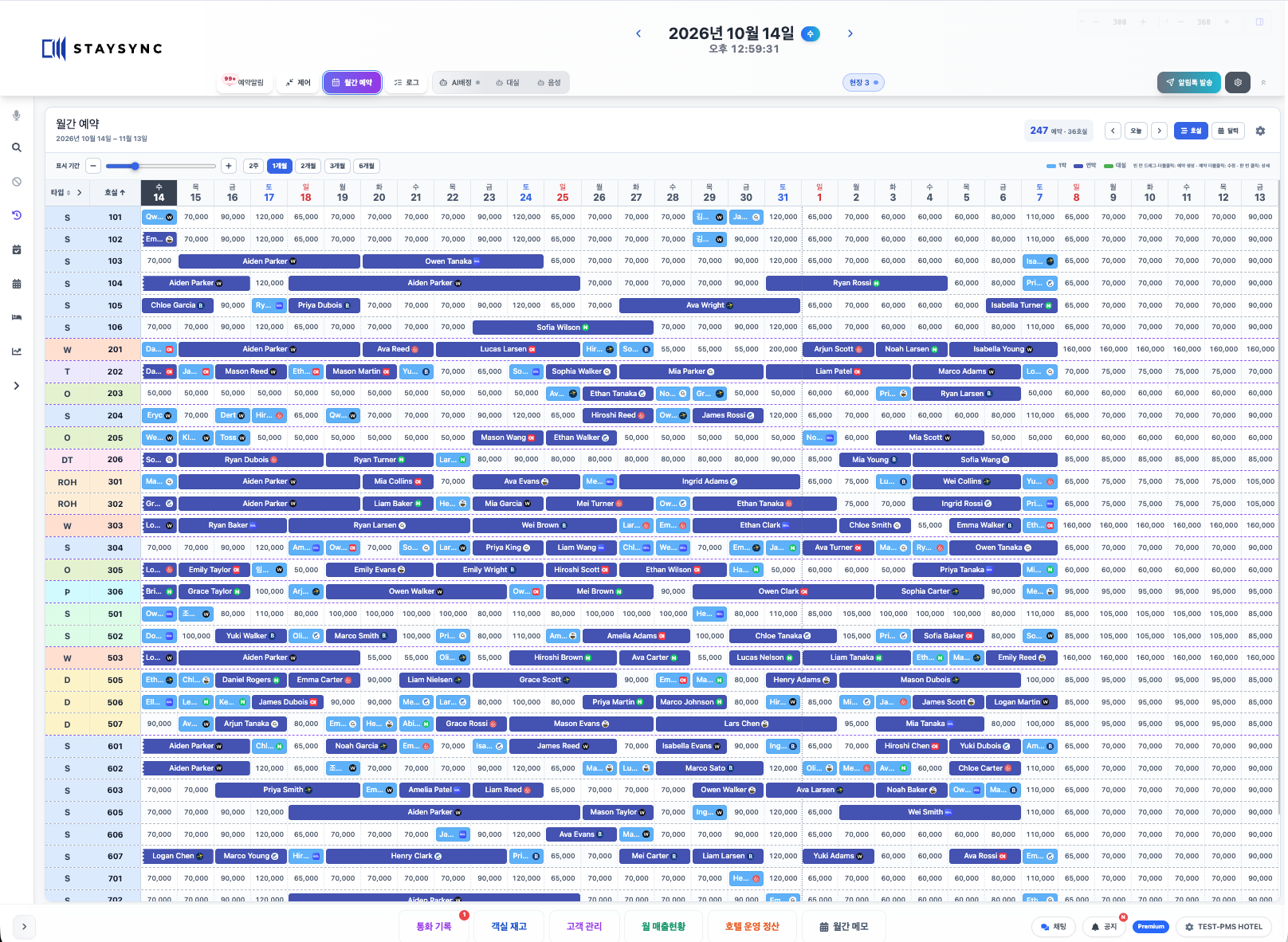
Manage reservations, rooms and rates in real time.
Put your AI voice assistant to work.
SPEAK. CONNECT. GET IT DONE.
From a request to recognition, confirmation and an update.
Explore what happens in each scenario.
“Close standard rooms tomorrow.”
Tomorrow · Standard · Close sales
Check the date, room type and affected inventory.
Apply the change in PMS and send it to configured channels.
“Set standard rooms to ₩90,000 this Saturday.”
Saturday · Standard · ₩90,000
Review the target date, room type and new rate.
Apply the rate in PMS and send it to configured channels.
“One standard room for two nights from Friday.”
The connected service extracts dates, room type and stay length.
Link the conversation to a booking, with the required checks.
The reservation appears in the hotel’s operational workflow.
“Leave a note to check room 703 tomorrow afternoon.”
Tomorrow afternoon · Room 703 · Inspection
Organize the date and task in an operational note.
Keep the task visible in the hotel’s daily schedule.
Illustrative workflow, with English translations of Korean commands. This page does not record audio or change hotel data. Voice and phone automation require their respective service setup; permissions and confirmation steps apply.
ONE PMS. TWO WORKSPACES.
Open or close rooms, adjust rates and update the schedule. Stay responsive to demand, from the front desk or while away.
A complete workspace for the front desk and back office.
Your hotel’s selling opportunities, in your hands.
YOUR HOTEL. ALWAYS WITHIN REACH.
Resting at home. Riding to your next destination. Taking a trip.
Keep your hotel’s rooms, rates and daily work within reach.
Adjust selling availability and rates by date, wherever you are. Respond to demand without returning to the front desk.
The connected phone-reservation service recognizes booking details and connects the conversation to automatic reservation creation.
Ask the AI voice assistant to help with reservations, rooms, sales, notes and schedules. Let recognition and automation carry the routine work forward.
“Show today’s sales.” · “Close standard rooms tomorrow.” · “Create a two-night reservation.”
Illustrative voice commands. Voice features are optimized for Korean and require enrollment and approval. Phone automation requires the connected service. Permissions and required confirmation steps apply.
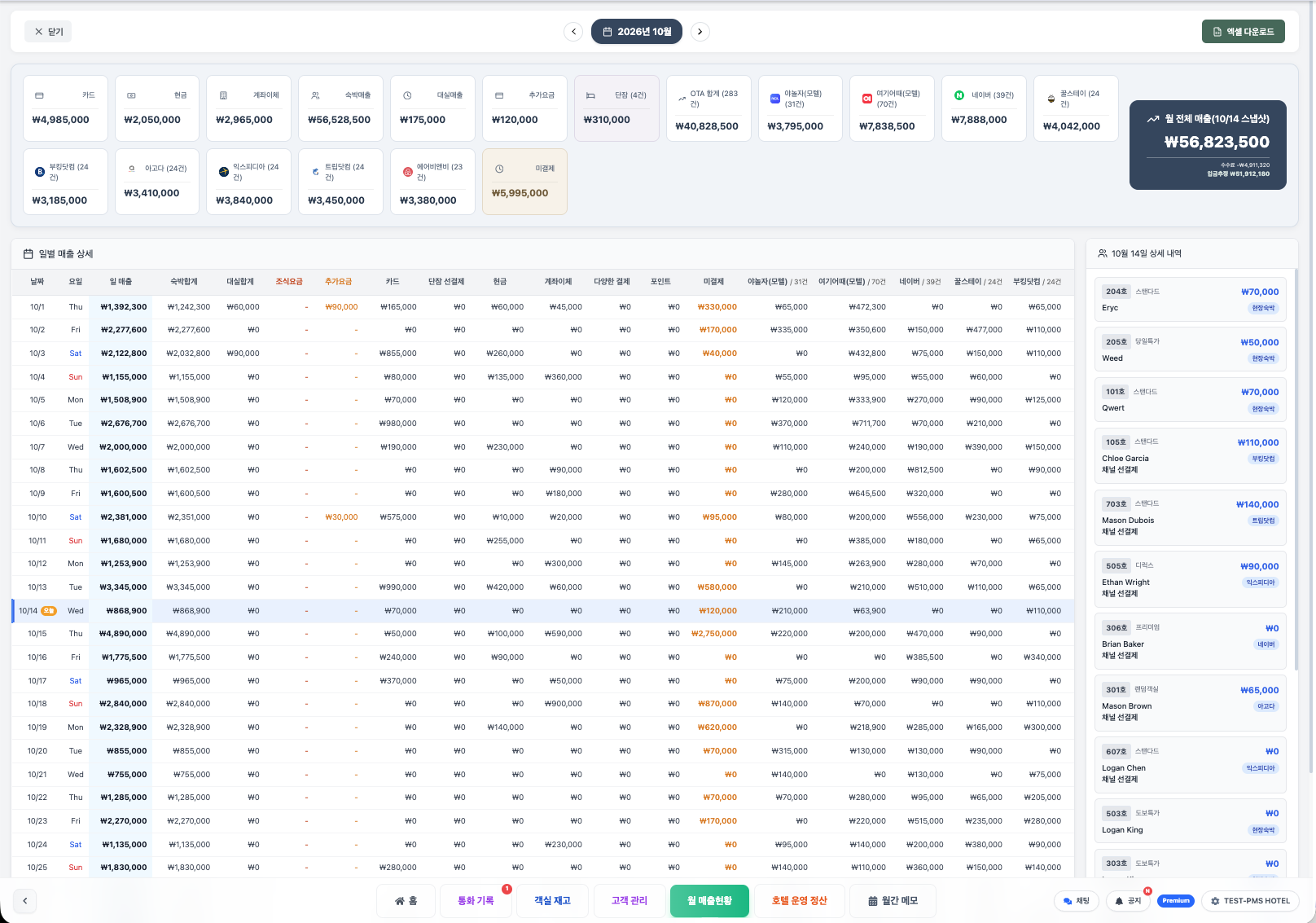
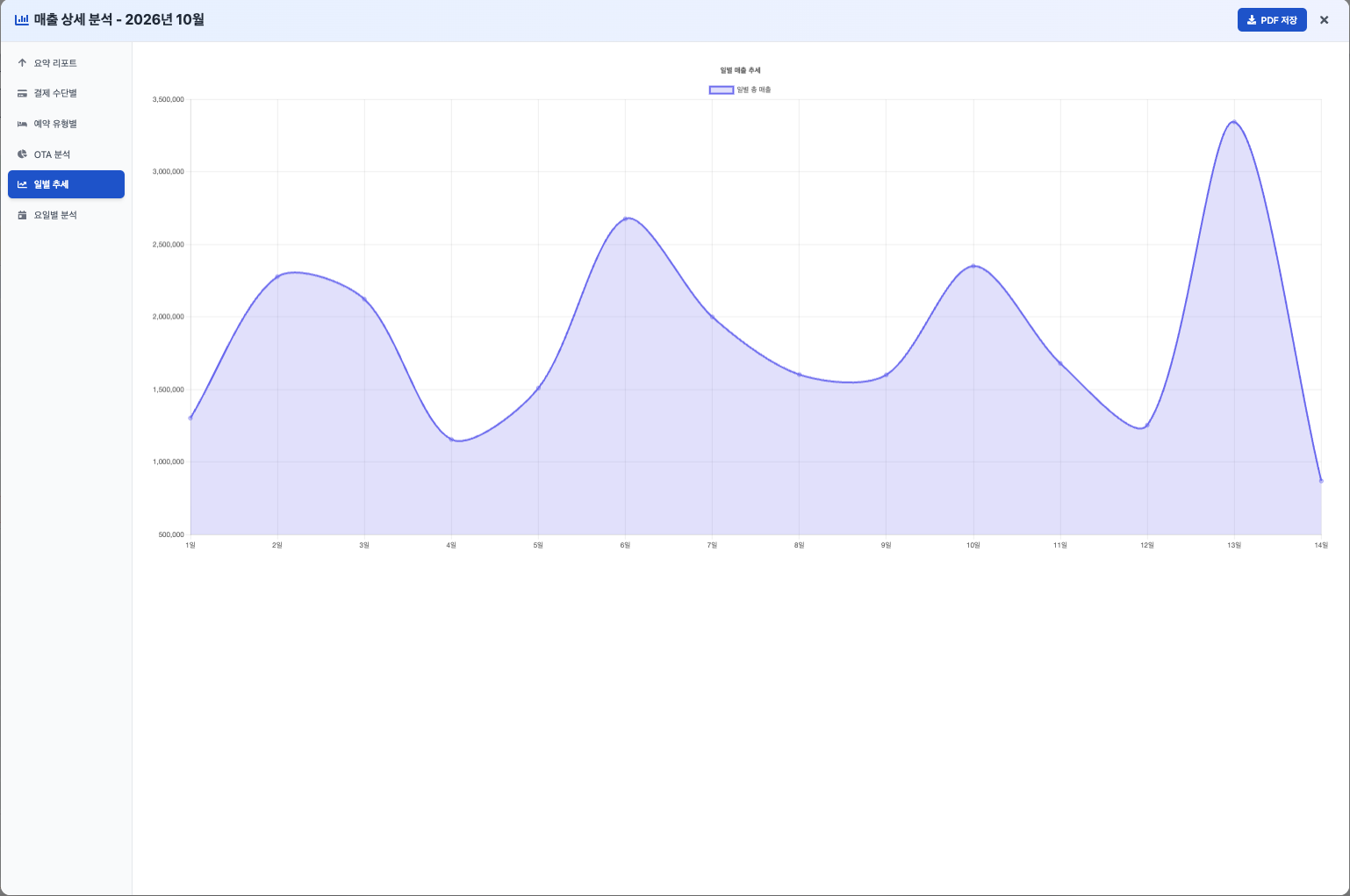
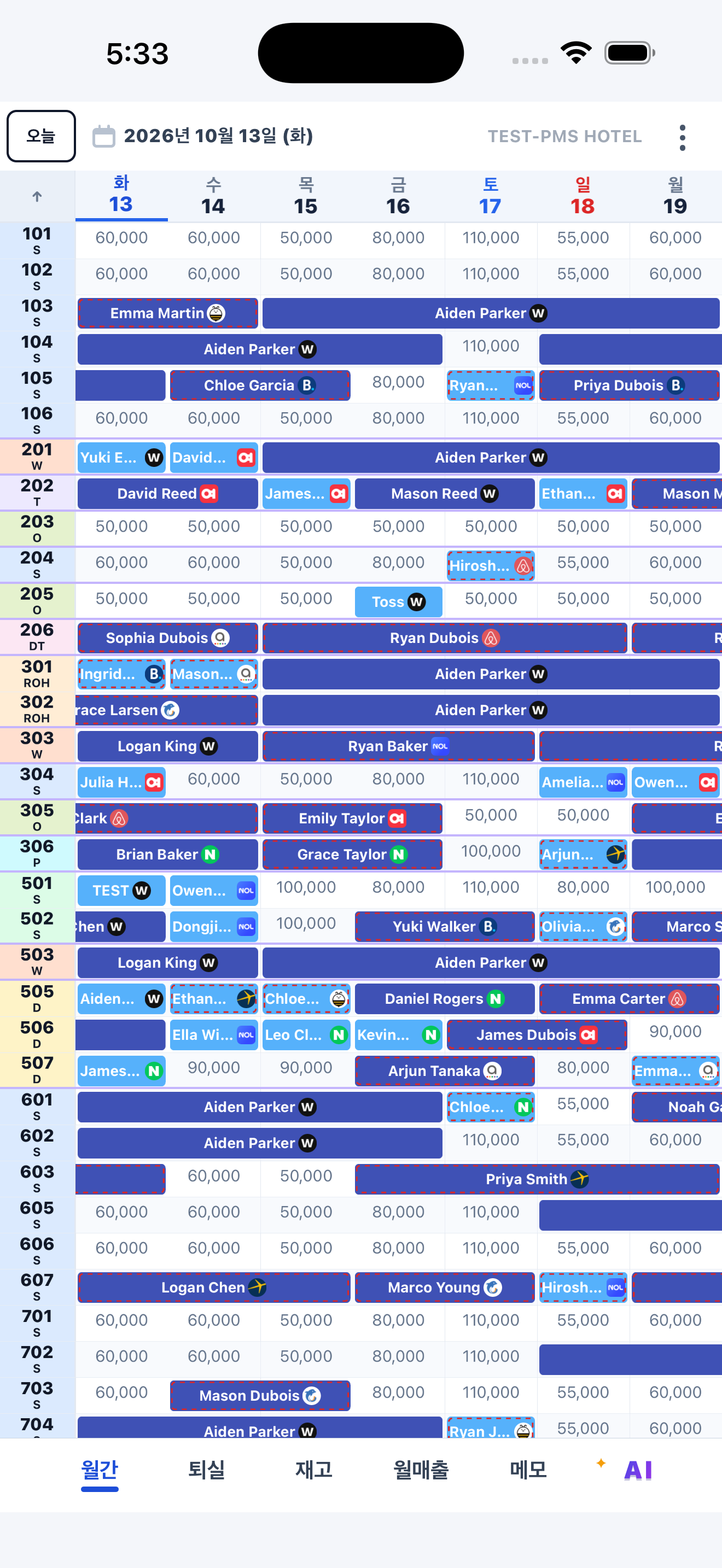
Explore reservations, room inventory and sales in the PC workspace.


View full-size screen ↗Actual iPad and iPhone screens from the store-submission build.


TEST-PMS HOTEL · Korean interface · Store availability will be announced after review.
FOR HOTEL TEAMS
StaySync is for owners, managers and registered employees at contracted hotels. Teams use PCs, tablets and phones to work within the permissions assigned to them.
Choose a sample reservation to inspect its details.
Room 101 · 2 nights · Payment recorded · Example reservation
Select a room to see its readiness.
101 · Guest is staying. Share requests with the next shift.
Choose a handover note to see the next action.
Check the expected arrival time and pass the note to the evening shift.
Illustrative demo with sample data. No live reservations are accessed or changed.
CONNECTED TO GLOBAL TRAVEL
Official global OTA connectivity synchronizes reservations, rates and availability with your hotel’s operations.
Explore connected channels ↗STAYSYNC AT WORK
See OTA and on-site reservations in one place.
Remember the person behind the reservation.
A change of staff should not mean a loss of context.
Supported channels and available functions depend on the hotel’s operating environment.
DAILY OPERATIONS
Manage OTA and on-site bookings together. Use the calendar and room view to review check-ins and check-outs.
Review room availability and selling rates by date.
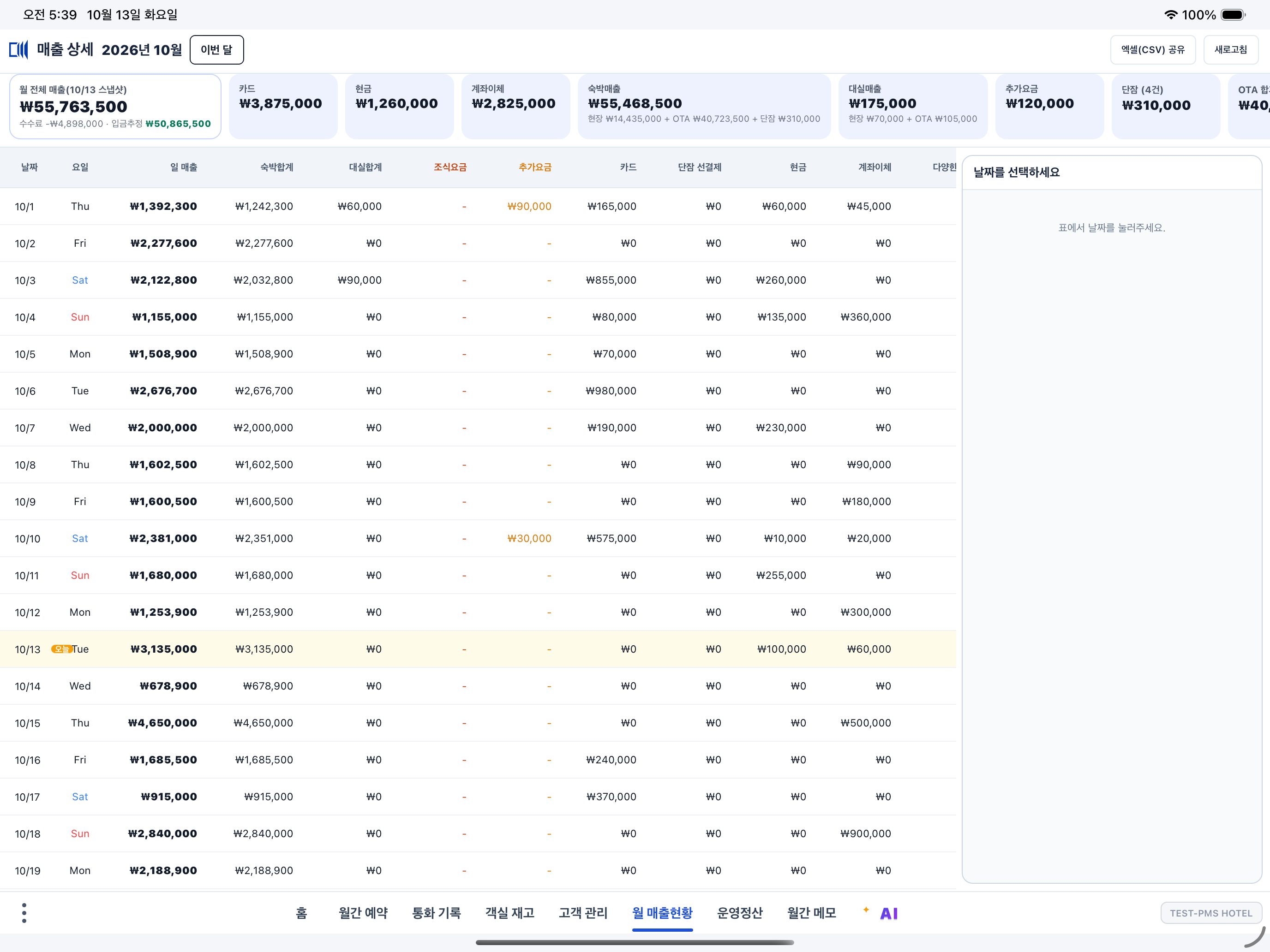
Record payment methods and status, and review daily and monthly sales.
View guest information and keep operational notes within your assigned permissions.
Registered staff use the functions their hotel has authorized. Hotel data and staff permissions are separated.
Use the PC workspace or the tablet and phone app. Hotel staff access is required.
PAYMENT RECORDS
In the standard payment-recording screen, staff record methods such as card or cash and the payment status. This is distinct from authorizing or charging a card.
Sign in with a staff phone number registered at a contracted hotel and the permissions assigned to it. Installing the app does not, by itself, grant access to hotel data.
This is an additional service requiring separate enrollment and approval of the user’s phone number by the developer. Voice commands are optimized for Korean and are initiated by approved users. The English website does not imply English voice-command support.
Privacy policies explains which policy applies to each service and links to the published policy documents.
FROM BOOKING TO DAILY OPERATIONS
A connected workflow for the people who run the hotel.
OTA, direct and on-site bookings become part of the hotel’s operational view.
Review assignments, availability and rates together as the day changes.
Keep guest notes and handover information close to the reservation.
Review payment results and sales alongside the hotel’s daily work.
Tell us about your devices, workflow and the functions you need.